> ## Documentation Index
> Fetch the complete documentation index at: https://docs.axle.energy/llms.txt
> Use this file to discover all available pages before exploring further.
# User Flow
> Deep dive into the payments portal user experience
# Workflow
Users can:
1. View their current balance and transaction history
2. Link a UK bank account for withdrawals
3. Withdraw their rewards balance
## View current balance and transaction history
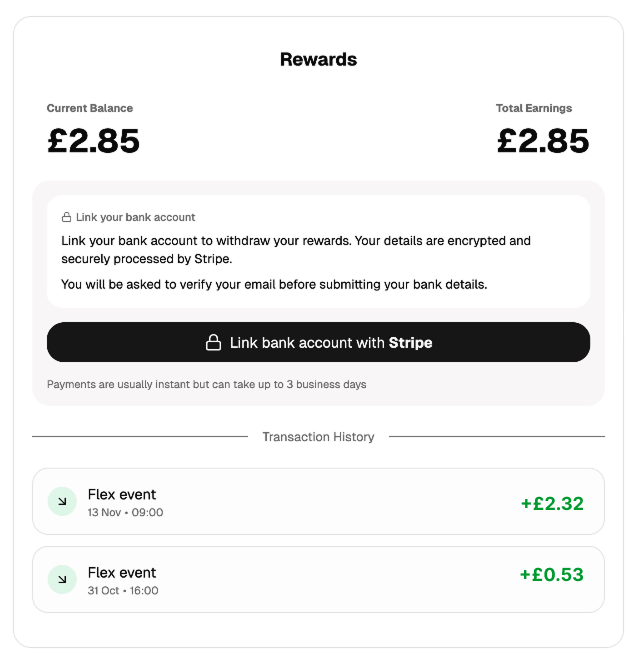 Transactions can be hidden via the `hide_transactions` parameter when generating the payments portal URL - see [Integration](./integration#when-to-hide-transactions).
## Bank account linking
Transactions can be hidden via the `hide_transactions` parameter when generating the payments portal URL - see [Integration](./integration#when-to-hide-transactions).
## Bank account linking
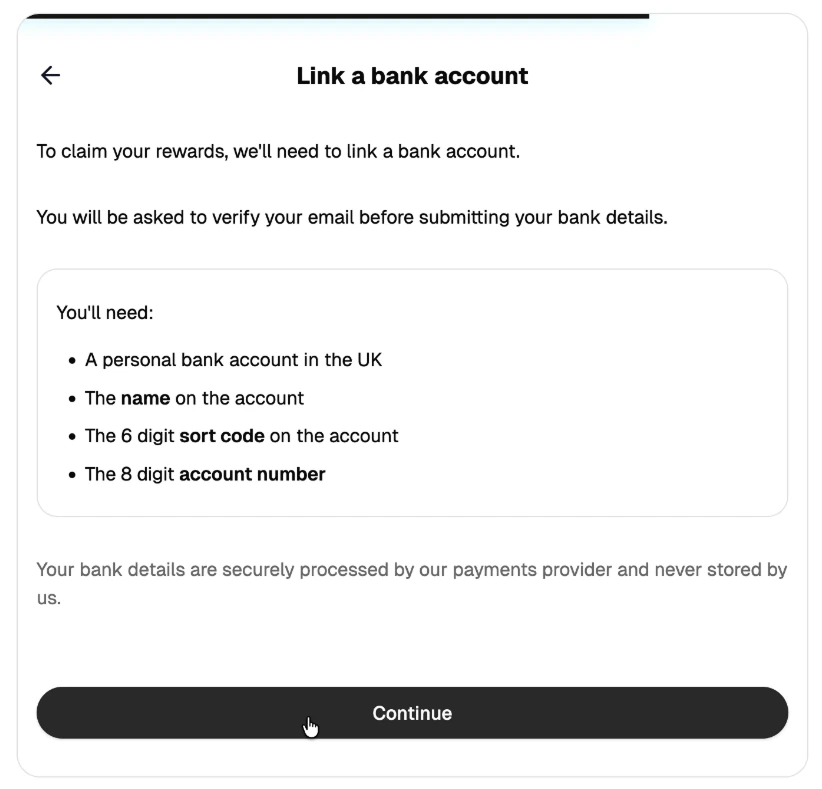 If 2FA is enabled, users must first complete two-factor authentication before linking a bank account
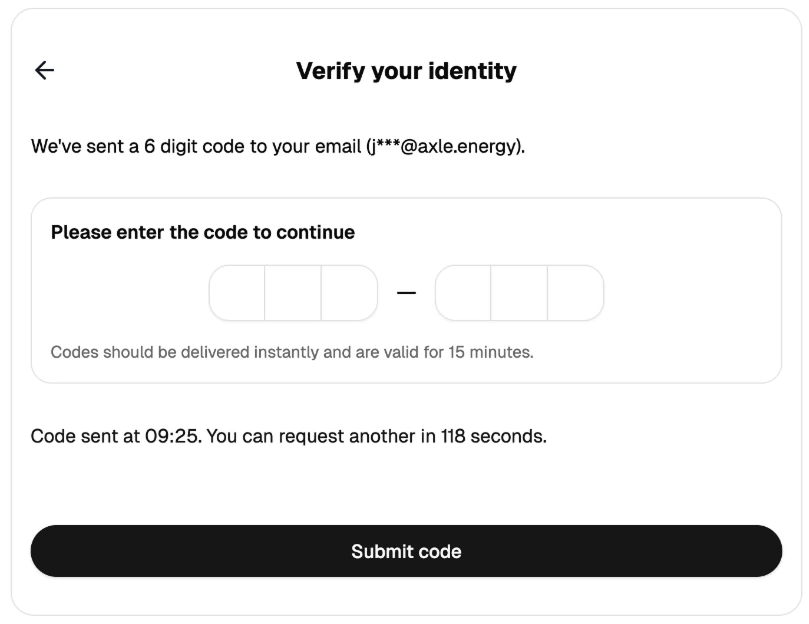
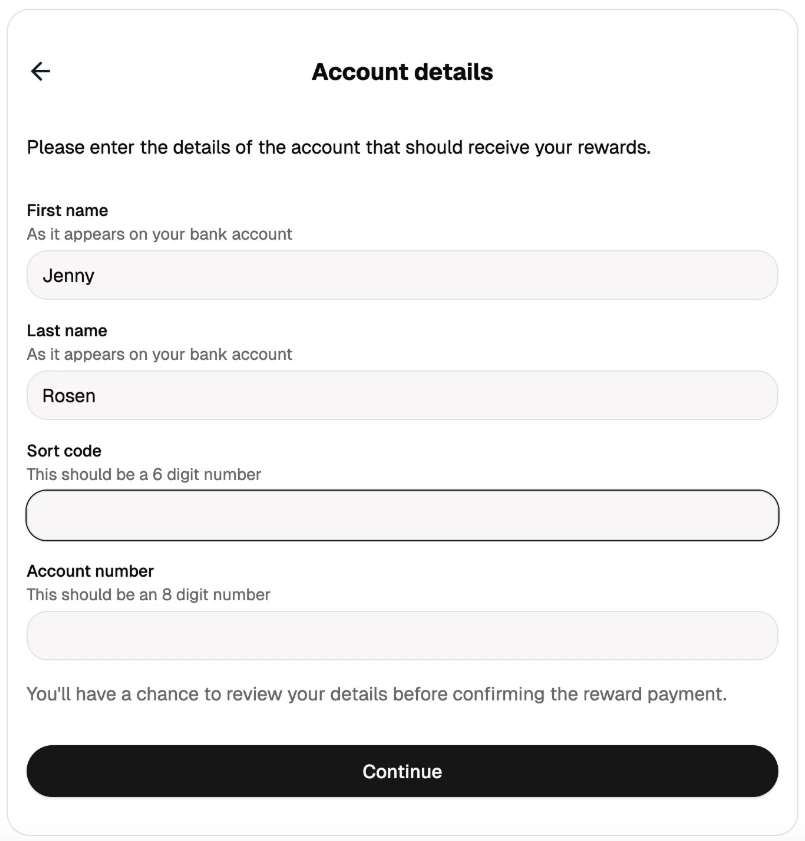 User enters their bank details (sort code, account number)
Axle performs Confirmation of Payee (CoP) verification
User enters their bank details (sort code, account number)
Axle performs Confirmation of Payee (CoP) verification
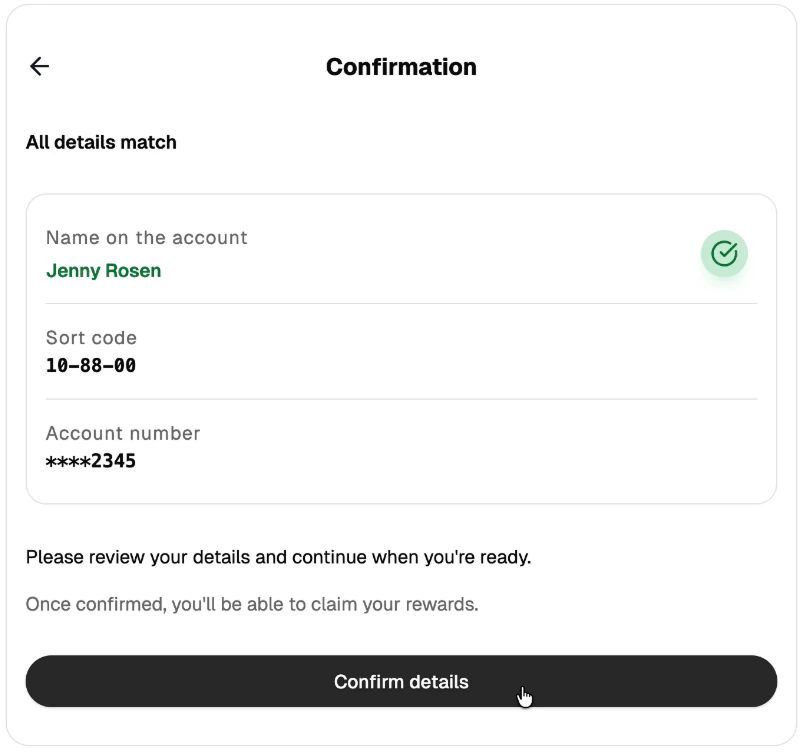 User reviews the verification result
User must click "Confirm" to complete setup
### Confirmation of Payee (CoP)
CoP is a UK banking verification service that checks the provided name against the bank's records.
**Match States**:
| State | Description | User Action |
| ------------- | ---------------------------------------------------- | ---------------------------- |
| Full Match | Name matches bank records exactly | Proceed with confidence |
| Partial Match | Name partially matches (e.g., nickname vs full name) | User can confirm if correct |
| Mismatch | Name does not match bank records | User should verify details |
| Unavailable | Bank doesn't support CoP verification | User can proceed at own risk |
## Withdrawals
### How withdrawals work
User reviews the verification result
User must click "Confirm" to complete setup
### Confirmation of Payee (CoP)
CoP is a UK banking verification service that checks the provided name against the bank's records.
**Match States**:
| State | Description | User Action |
| ------------- | ---------------------------------------------------- | ---------------------------- |
| Full Match | Name matches bank records exactly | Proceed with confidence |
| Partial Match | Name partially matches (e.g., nickname vs full name) | User can confirm if correct |
| Mismatch | Name does not match bank records | User should verify details |
| Unavailable | Bank doesn't support CoP verification | User can proceed at own risk |
## Withdrawals
### How withdrawals work
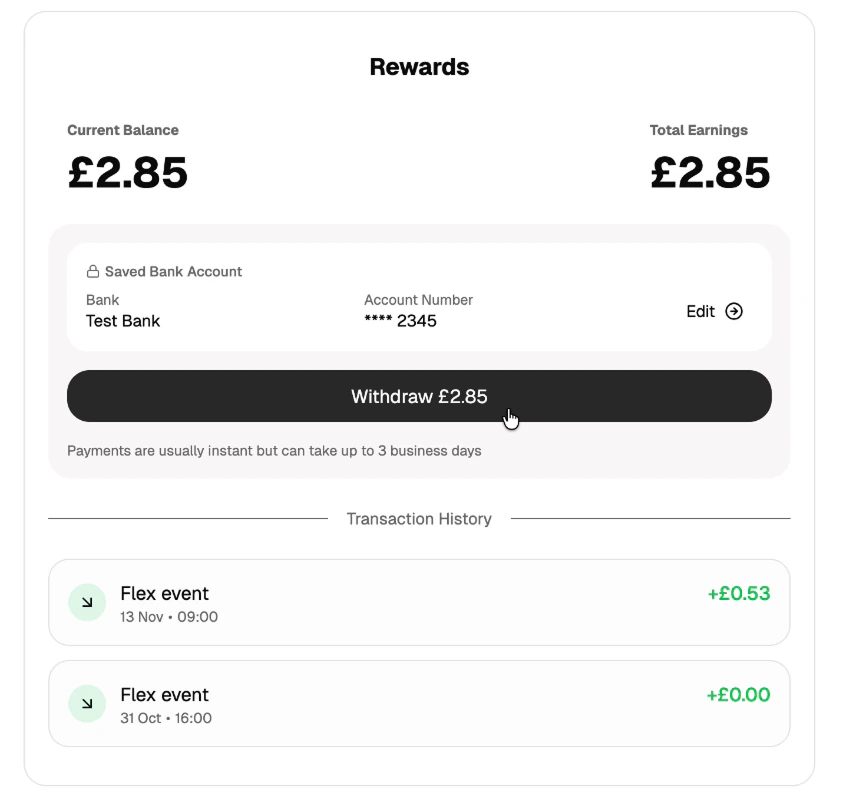 1. User clicks "Withdraw" in the payments portal
2. Axle initiates a bank transfer to the linked account
3. Funds typically arrive within 1-2 business days
4. Transaction appears in user's history as a withdrawal
### Withdrawal restrictions
* **Minimum threshold**: Typically £10 (configurable per organisation)
* **Cooldown period**: Some organisations require a waiting period before the first withdrawal (configurable)
### Payment failures
Payments can fail or be returned for various reasons—incorrect account details, closed accounts, or bank-specific restrictions. See [Stripe's documentation on payout failures](https://docs.stripe.com/payouts/failures) for a full breakdown of failure reasons.
When a payment fails or is returned:
1. The withdrawal transaction is reversed (balance restored)
2. The bank account is archived (user must re-link)
3. User receives an email with a link to update their bank details
4. The retry link expires after 48 hours
1. User clicks "Withdraw" in the payments portal
2. Axle initiates a bank transfer to the linked account
3. Funds typically arrive within 1-2 business days
4. Transaction appears in user's history as a withdrawal
### Withdrawal restrictions
* **Minimum threshold**: Typically £10 (configurable per organisation)
* **Cooldown period**: Some organisations require a waiting period before the first withdrawal (configurable)
### Payment failures
Payments can fail or be returned for various reasons—incorrect account details, closed accounts, or bank-specific restrictions. See [Stripe's documentation on payout failures](https://docs.stripe.com/payouts/failures) for a full breakdown of failure reasons.
When a payment fails or is returned:
1. The withdrawal transaction is reversed (balance restored)
2. The bank account is archived (user must re-link)
3. User receives an email with a link to update their bank details
4. The retry link expires after 48 hours